
From a saved link to a parcel you can approve
A practical Oopbuy buying guide: record the item, review the order, check warehouse photos, then choose delivery for the actual parcel.
Prepare the link before signing in
Start with the Spreadsheet categories or search. Open the seller’s original page and save its address, shop name, selected variant, quantity and size chart. A screenshot helps record what you selected, but keep the working URL too.
Read seller return conditions and check whether the item’s materials or batteries affect transport. Do not assume a catalogued item is eligible for every destination or line.
Why use the agent route? It can combine buying support, warehouse inspection and parcel consolidation. For one simple purchase, compare it with direct seller delivery using the total price and after-sales terms.
Create the account and review the order
Use Oopbuy’s official website to register or sign in. Check the domain before entering credentials. This guide has no account access and does not collect an order payment.
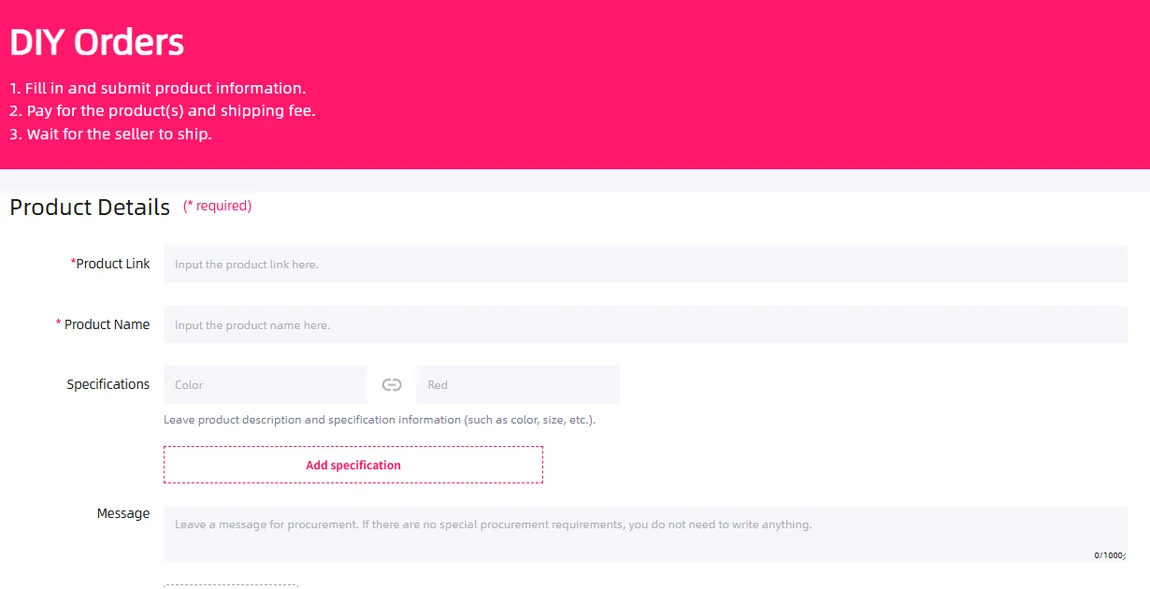
Paste the original product link
Confirm the returned product title and shop. Select your size, colour and quantity rather than relying on the default option or lowest result-card price.
Complete missing specifications
If the link needs a DIY request, include the product name, exact variant and any substitution limits. Ask whether the item can be purchased and shipped before committing.
Review the payment total
Check item cost, domestic freight, payment charges and conversion. International shipping is a separate part of the budget, determined by the parcel and route you select.
Watch order messages
A seller confirmation, price adjustment or out-of-stock message can require your reply. A page failing to load does not tell you which event occurred. Use link triage to separate them.
Use QC to check the item you ordered
When the item arrives, compare the warehouse photos with your saved order. Start with quantity, the visible colour and label, then inspect the areas most likely to reveal a wrong item or visible damage.
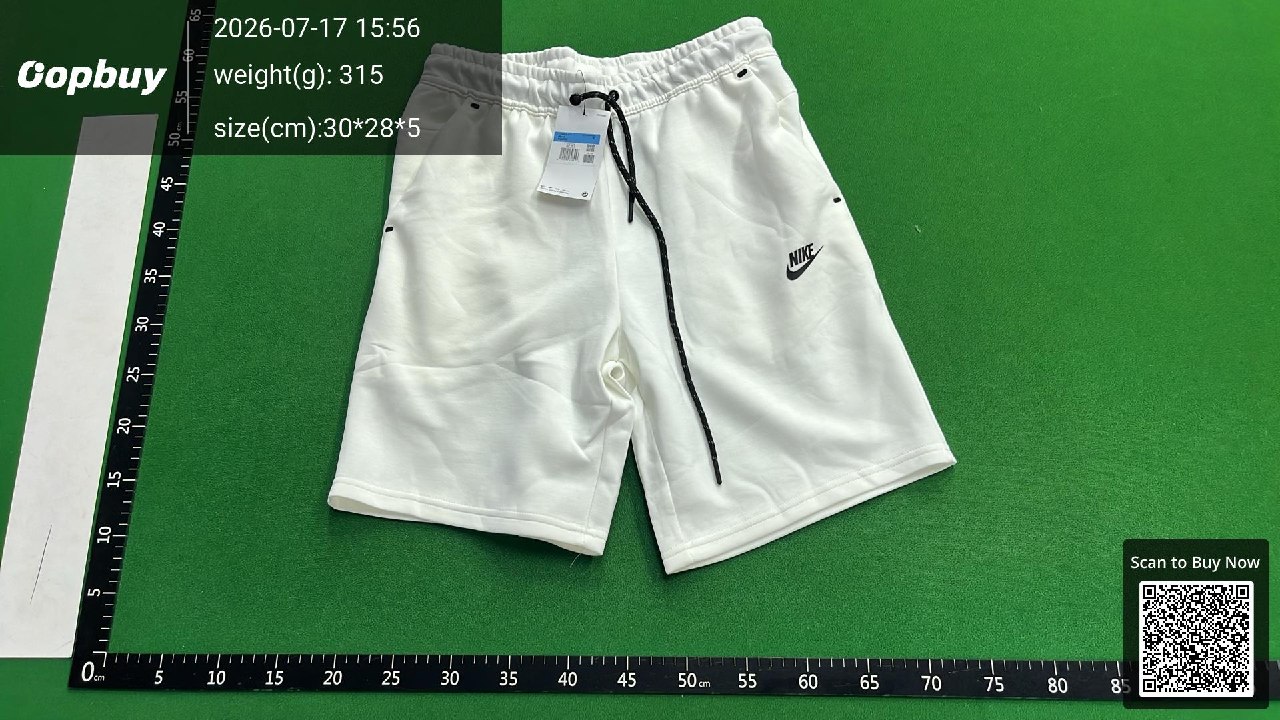
What this photograph can answer
There is one visible pair of white shorts, a black drawstring and a hanging tag. You can compare the front design and obvious condition with the order.
What needs another view
The small label text, inside seams and back are not clearly shown. Ask for a label close-up or a specific measurement if that decides whether you accept it. Fit and fabric feel cannot be settled by this image.
The inspection notice, rechecked 14 October 2026, limits the scope for colour differences, size errors, usage effects and specialist or sealed goods. QC is not authenticity or function certification.
If something is wrong, retain the order selection and the relevant photo, describe the mismatch, and open after-sales support before the applicable deadline. The current return notice describes a five-day request window after stock-in for eligible goods. Read eligibility and return costs before removing tags or packaging.
Build and price the parcel
Choose which stored items to ship together. Consolidation may reduce duplicated packaging, but a larger box can increase volumetric billing or exceed a route’s limits. Compare the available routes for the actual destination, dimensions and contents.
- Check storage expiry on each item while waiting for the rest of a basket.
- Choose packaging for the contents: retaining a box can protect an item but adds volume; removing it may affect return eligibility.
- Review any rehearsal, additional protection or insurance service, including the price and coverage conditions.
- Enter an accurate delivery address and truthful customs information. Follow the current route instructions and destination customs requirements.
- Review the displayed international charge and any later adjustment terms before paying.
Compare delivery estimates, prohibited goods, tracking availability, compensation limits and how actual or volumetric weight is charged. The cost guide keeps these separate from the product-link price.
Track delivery and keep useful records
Use the parcel record and tracking number after dispatch. A domestic seller tracking number and the international parcel number refer to different journeys; check which one you are reading.
For a delayed update, check the last event, carrier and estimated route range before contacting support. For a damaged or incomplete delivery, keep the outer packaging, label, contents and photos, and report promptly through the applicable carrier or Oopbuy claim process. Eligibility and deadlines depend on the selected service.
Save order messages, payment/refund references and parcel details until the issue is resolved. Community reports can offer context about current delays; they cannot establish the status of your own shipment.