
Links that are not on the four searchable platforms
Four platforms are searched directly. Everything else goes through a request form, and the published warning names three risks in the same sentence.
This is a real service and a useful one. It is also a different risk profile from a direct search, and the difference is stated rather than hidden.
What the request route looks like
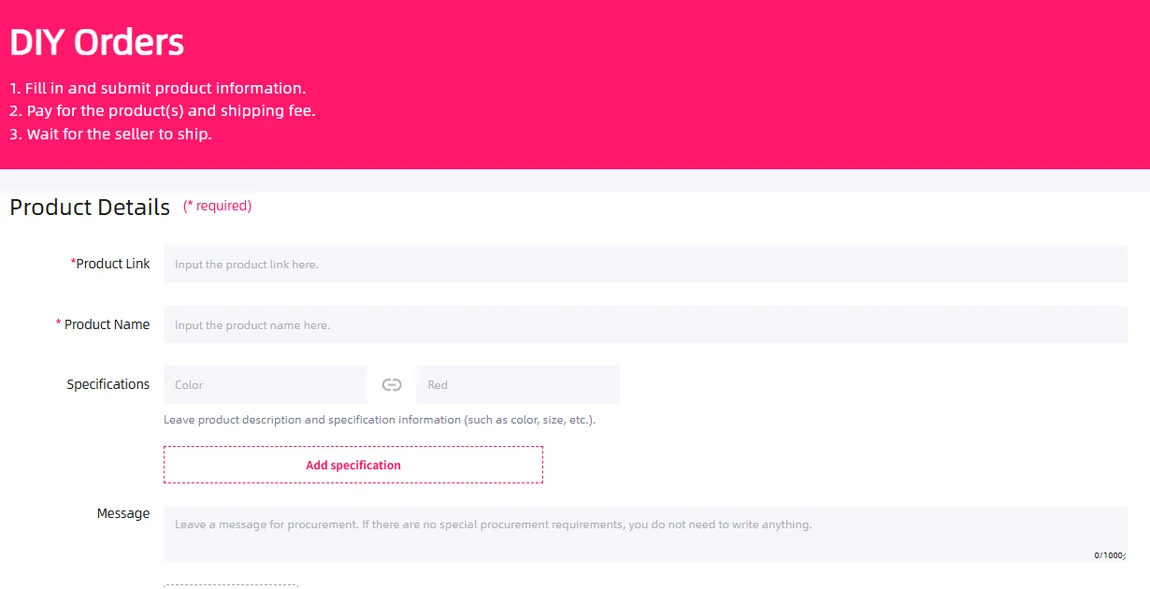
The page states the flow in three lines: submit the product information, pay for the products and the shipping fee, wait for the seller to ship. That is the same shape as a direct order with one extra step at the front, where a person reads what you wrote.
The specification fields need care. In a direct order you select the listing’s variant; in a DIY request you describe it. Include the seller’s size or colour name and clarify any ambiguity before payment.
The published warning, in full
If you need to purchase a product from a third-party platform that cannot be verified, there might be problems like an extra service fee, unable to purchase, and shipping risks.
Operator help centre, read 2026-10-10
The warning names an extra service fee, inability to purchase and shipping risk. None of those alone establishes a refund or starts the out-of-stock reply window. Ask the agent to confirm this request’s eligibility and handling.
Read beside the platform disclaimer, the position is consistent: the operator buys on your behalf and does not take responsibility for what third-party sellers do, which is why the verifiable platforms are treated differently from everything else.
Which platforms are searched directly
| Route | Platforms | What you supply | Variant comes from |
|---|---|---|---|
| Direct search | Taobao, Tmall, 1688 and Weidian | A keyword, a link or a photograph | The listing's own options |
| Request form | Anything else, named examples include several resale and social commerce sites | A link, a product name, specifications and a message | What you type |
| Operator's own shop | Items listed by the operator itself | A normal order | The listing |
With a DIY request, you supply details the normal listing interface might otherwise provide. The agent must still confirm that it can purchase and ship the item; handling need not match every direct-platform order.
Writing a request that can be acted on
- Name the variant in words rather than pointing at a swatch position, since the person reading has your text and the seller's page side by side
- Give a second acceptable option where you have one, because it turns a cancellation into a purchase
- Say what you do not want substituted, which takes less time than a return
- Upload the photograph you were looking at, since the form accepts images and a picture settles an ambiguity faster than a sentence
Clear specifications help the buyer understand your request. Wait for confirmation if the platform, price or shipping eligibility is uncertain.
A request example: one colour, one size, no substitution
Suppose a seller page shows a jacket in three colours and two fabric versions. A useful request records the original URL, the seller’s name, the exact fabric and colour, the size code, quantity and the current price for that combination. A cover photograph or a minimum displayed price does not identify it.
Write the important restriction explicitly: “Black, lightweight version, size L; please ask before substituting another fabric.” If a second option is acceptable, name it and any price limit. Silence should not be treated as approval for an unspecified replacement.
The form’s product-link, name, specifications and message fields preserve this distinction. Attach the relevant seller image when it clarifies the option, then review the operator’s confirmation for missing domestic freight or a changed price. The request is still subject to purchasing and shipping eligibility.